 Fatir
Fatir⌁
Whole-desktop control
Operate GTK, Qt, Electron, JetBrains, file managers, utilities, media apps and other Linux software through semantic accessibility first, with keyboard/window and X11 visual fallbacks when needed.
Fatir is a resident AI operator for Linux Mint/Cinnamon. It can work with desktop apps, your active browser, terminal tasks, files, memory, schedules, and repeatable workflows — while using deterministic local control before spending model tokens.
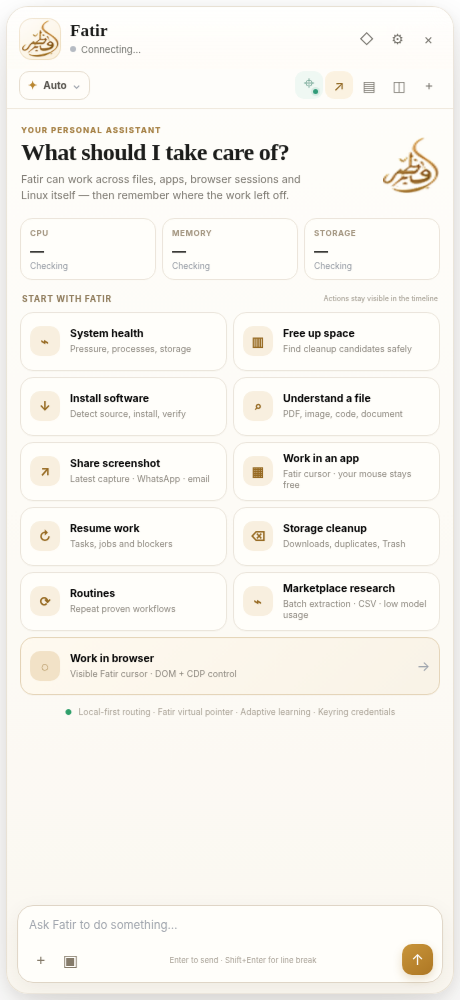
Fatir is designed to stay beside the work instead of pulling the work into another tab. It uses the strongest local control path first and calls a model only when reasoning is actually useful.
Operate GTK, Qt, Electron, JetBrains, file managers, utilities, media apps and other Linux software through semantic accessibility first, with keyboard/window and X11 visual fallbacks when needed.
Work with the Chrome session and tabs you are already using through Chrome DevTools MCP instead of silently substituting another browser.
Use deterministic tools or local Ollama models for simple work, and escalate only when harder reasoning or vision is justified.
A click or command is not treated as success by itself. Fatir checks post-action evidence before reporting completion.
Keep useful context, run background routines, schedule work, and record semantic workflows for repeatable tasks.
Fatir avoids throwing every action at a cloud model. Fast deterministic paths handle what they can, local models route and reason when useful, and cloud escalation is reserved for work that genuinely benefits from it.
Fatir can stay strictly local or use cloud reasoning when you explicitly want the extra capability.
Zero-model deterministic actions when a built-in tool can handle the work safely.
Small Ollama model for lightweight intent and tool selection.
Use a stronger local model for more involved reasoning.
Optional stronger reasoning or visual/browser planning when configured.
Fatir keeps consequential actions approval-aware and separates credentials from normal model context instead of treating desktop control as unrestricted automation.
Credential values live in Linux Secret Service / keyring. Passwords, OTPs, API keys, recovery codes and payment data are not intentionally placed into prompts or logs.
Destructive, privileged, uninstall/remove/wipe and stored-credential actions require explicit approval. Headless browser operation is explicit-only.
Fatir’s installer provisions its desktop runtime, accessibility tools, launcher integration, PolicyKit/D-Bus support, keyring integration and Tauri build dependencies.
git clone https://github.com/haseebgb92/Fatir.git
cd Fatir
chmod +x install.sh
./install.sh
Primary target: Linux Mint Cinnamon / X11. MIT licensed and open source.
Fatir is a resident local-first AI desktop assistant for Linux. It works beside your applications rather than acting like an IDE or another full-screen chat app.
Yes. Fatir supports local-first routing through Ollama and can optionally escalate to configured cloud models for harder reasoning, visual understanding, or browser work.
Yes. It prefers semantic AT-SPI controls, then falls back to window/keyboard control and finally X11 visual control where necessary.
Yes. Its active/current browser mode is intended to attach to the Chrome session you are already using through Chrome DevTools MCP.
Yes. The project is published under the MIT License.
No. Fatir is a resident sidebar designed to work beside Chrome, Android Studio, Nemo, GIMP, VLC and other Linux applications.
Local-first where possible, model-assisted where useful, and verification-aware before calling the job done.